 Pensum
Help · Accounts and transactions
Reviewing imported transactions
Imported and synced transactions arrive awaiting review. Until you approve them, they don't count against a category. The budget shows them in Needs review, so its totals still include them.
See transactions waiting in the demo
Approve them
Choose Needs review to list them. Each has a suggested category, based on what you've used for that payee recently.
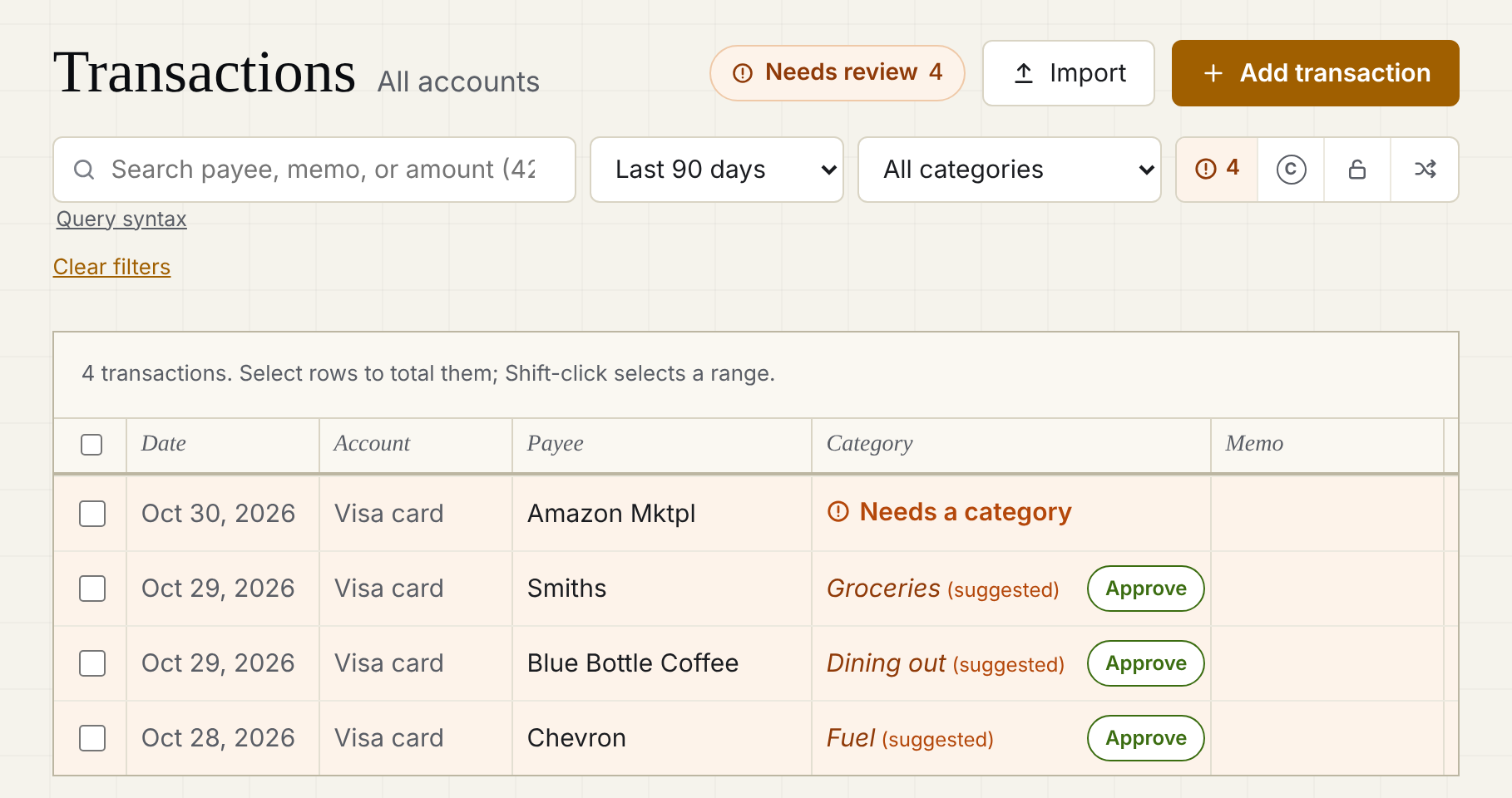
- One at a time: check the category, change it if it's wrong, and approve.
- All the suggestions at once: Approve suggestions at the top of the list.
- Several the same way: select rows (Shift-click selects a range), then categorize them together.
Transactions with no suggestion show Needs a category.
Payee names
Banks write payees like SQ *BLUE BOTTLE COFFEE 0423. Pensum cleans them up (Blue Bottle Coffee) and always keeps the bank's original text. Rename a payee and Pensum uses your name for that bank text from then on, and offers to rename past ones too.
Splits and transfers
- A purchase that covers several categories: choose Split into multiple categories… See Transfers and splits.
- Money moving between your accounts: categorize it as Transfers.
- A paycheck: Income for this month (or for next month).
Still stuck? Signed in, choose Contact support in your account menu, or email [email protected]