 Pensum
Help · Budgeting
Extra income
Most months, your income is your paycheck, and you plan around it. Then a bonus, a tax refund or a birthday check shows up. If it lands in Left to assign with everything else, it props up the month, and next month feels tight for no clear reason.
Instead, give it its own place to wait, then decide what it's for.
Set it up
- Make a category of type Holding, such as Bonus and extras.
- In its settings, tick Money coming in here is extra income.
- When extra money arrives, categorize it to that category instead of to income.
- When you've decided what it's for, move it with Reassign: some to the emergency fund, some to a trip, some to a goal that's behind.
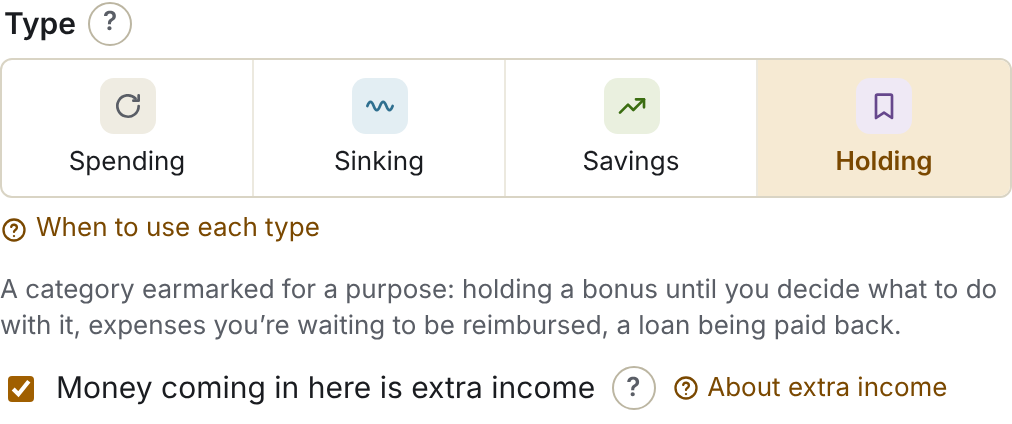
The money doesn't go to Left to assign, so your monthly plan stays honest. Reports count it as extra income, kept apart from your regular income, and what you reassign out of it as assigned from extra income. Am I living within my means? can show your months with or without it.
See the demo's bonus and where it went
Extra paycheck months
If you're paid every two weeks, you get 26 paychecks a year, not 24. So two months a year have three paychecks (and once in a while, a year has 27).
Plan each month on two paychecks. When a third arrives, treat it as extra income: categorize it to your extra income category, and put it to work. It's one of the easiest chances all year to get ahead:
- Pay down a credit card balance you're carrying. (See Credit cards for how card payments work in Pensum.)
- Top up the emergency fund.
- Move a savings goal forward, or catch up one that's behind.
In the demo, one earner is paid every other Friday; their third paycheck in a month goes to Bonus and extras and on to the emergency fund.
See how living within your means looks without extra income
What counts as extra income?
Money you don't plan on: bonuses, tax refunds, gifts, a third paycheck, money from selling something. Regular income (paychecks, steady side income) goes to income as usual. If you're paid back for something you bought, categorize the repayment to the category the purchase came from (or a Holding category for reimbursements); it isn't income.
Still stuck? Signed in, choose Contact support in your account menu, or email [email protected]