 Pensum
Help · Reconciling
When the balance doesn't match
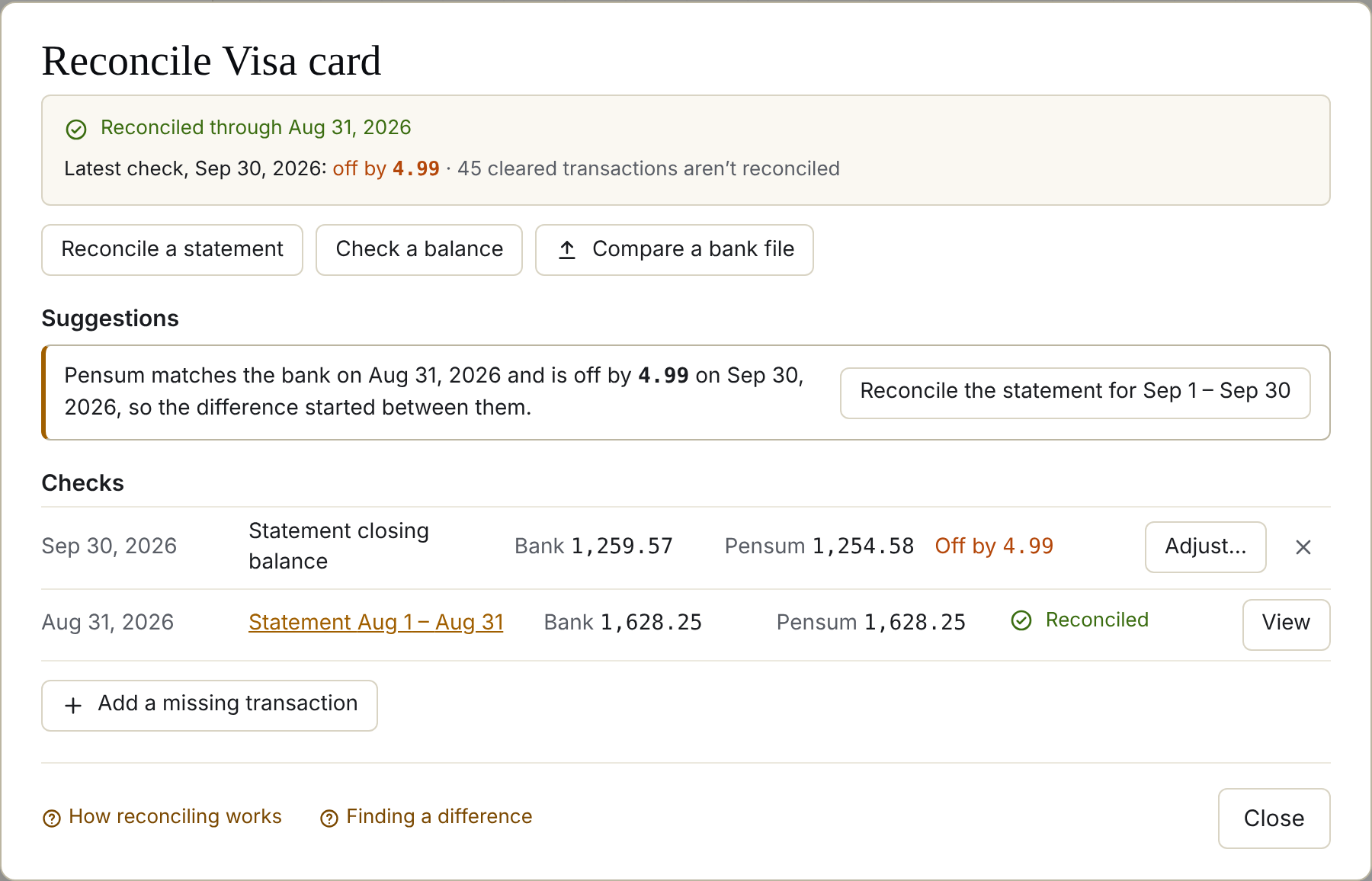
When a check is off, the reconcile screen shows by how much, and Suggestions to find it.
See a difference to find in the demo
First: is it really off?
- Pending charges. Your bank's balance may include charges that haven't posted. Pensum skips pending charges until they post. Compare with the bank's posted or current balance, not the available balance.
- The date. A check is for the end of a day. A transaction dated a day later (or earlier) at the bank can move across the line. Pensum allows for a few of these.
Where it started
If an earlier check matched, the difference started between the two dates. Pensum says so, and offers to reconcile the statement for that period, so you're only looking at a few weeks of transactions. With no earlier match, Check an earlier balance to narrow it down.
Likely causes
Pensum lists the transactions most likely to explain the difference. One marked Fixes it makes the balances match on its own.
| Cause | The fix |
|---|---|
| A transaction for exactly the difference | Delete it, if the bank doesn't have it |
| A possible duplicate (including one the bank sent twice) | Merge keeps one |
| An uncleared transaction for the difference | Mark cleared, if it has posted |
| Entered as money in instead of out (or the other way) | Flip sign |
| Two digits swapped, like 45.10 for 54.10 | Change the amount |
| Typed in, never matched by a bank download | Delete, if the bank never had it |
| Not cleared a week after its date | Check it at the bank |
Choose a cause to see transactions with the same payee and amount around its date. Looks right dismisses one that isn't the problem.
Something's missing from Pensum
A fee, interest, or a purchase you never entered: choose Add a missing transaction. Banks' transaction lists, or Compare a bank file, show what you don't have.
Last resort: an adjustment
If you can't find it and the amount is small, Adjust… adds one transaction for the difference, to Left to assign or a category you choose, and reconciles through it. It's honest: the adjustment stays visible in your transactions.
Still stuck? Signed in, choose Contact support in your account menu, or email [email protected]