 Pensum
Help · Getting started
Your first budget
When you sign in for the first time, Pensum walks you through setup. It takes about five minutes.
1. Choose how to start
- Start fresh: enter your accounts and build categories yourself. Best if you're new to budgeting apps.
- Import existing: bring in what you already have. Pensum can import an export from another budgeting app (YNAB is one option), a Pensum backup, or files from your bank or Quicken (QIF, QFX, OFX or CSV). See Importing your history.
You can also connect your bank later, so new transactions come in by themselves.
2. Add your accounts
Add each checking, savings and credit card account, and the balance as your bank shows it today (the current balance, not the available balance). A Cash account for your wallet is added for you.
Each account gets a starting balance on that date. Credit card balances are money already spent, so they're subtracted from what you have to assign. More in Credit cards.
3. Build your categories
Pensum suggests starter categories in groups. Rename, add or delete them until they match how you actually spend. Drag a category to another group to move it. A few tips:
- Group categories by what the money is for (House, Food, Everyday expenses, Savings), so reports tell you something.
- Make a category for each bill that doesn't come monthly (car registration, insurance, gifts), and save toward it a little each month. These are sinking funds.
- Don't overthink it. You can change anything later.
4. Assign your money
Give every dollar a category, starting with bills and essentials, then savings and everything else, until Left to assign reaches zero. Assign the money you have now, not money you expect.
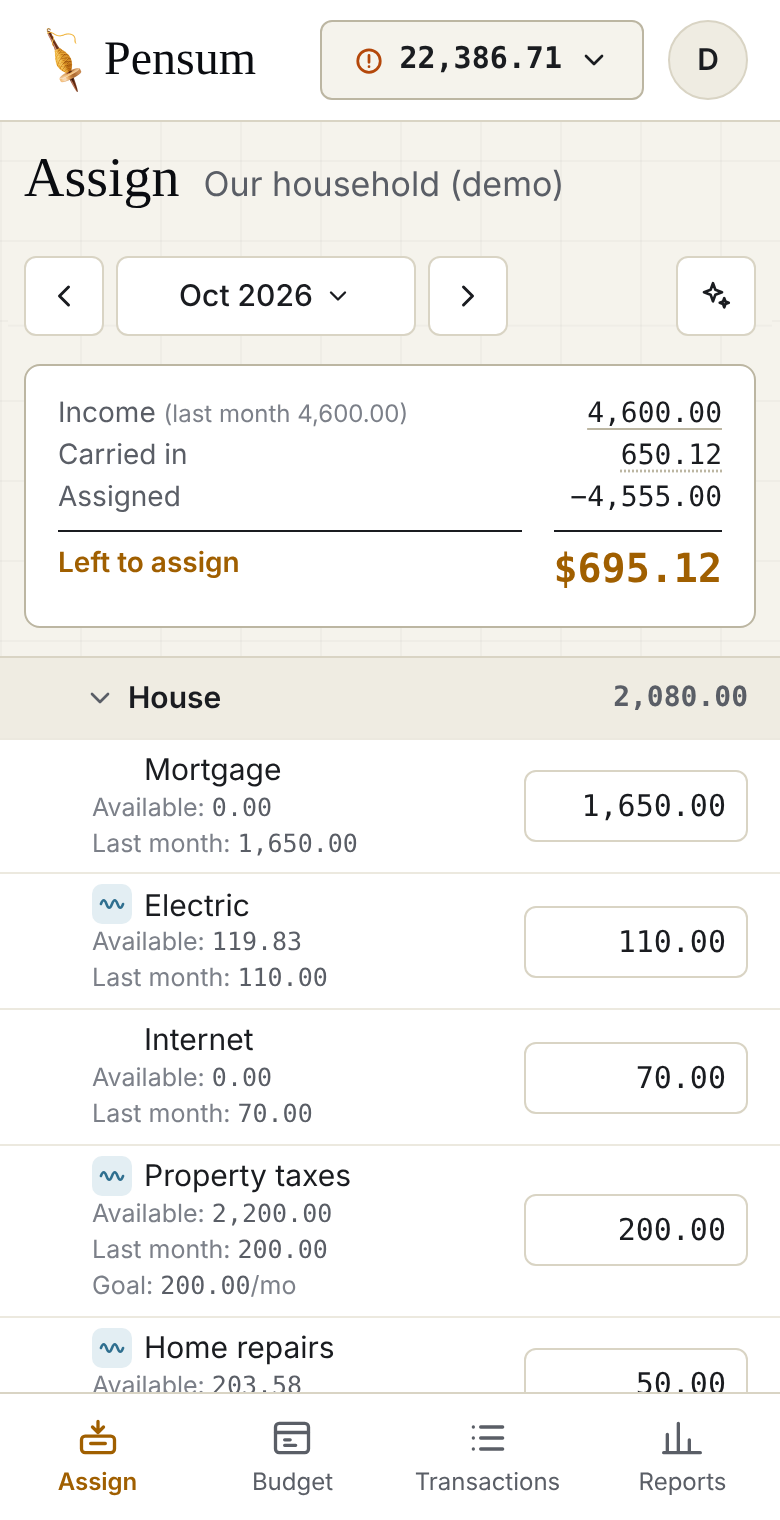
5. Keep it up to date
Each week or so:
- Add or import transactions. Type them in, import a file from your bank, or let bank sync bring them in. Imported transactions wait in Needs review until you approve them.
- Assign new income when it arrives.
- Move money when a category runs short. See Overspending and reassigning.
- Reconcile now and then, so Pensum matches your bank.
Still stuck? Signed in, choose Contact support in your account menu, or email [email protected]